Every Article starts with your business.
Tallpine learns your offers, your customers, and your positioning from your own site, so every Article reads like it came from inside your company instead of from a prompt.
From strategy to publish
Tallpine learns your business from your own site, then researches, writes, and publishes Articles designed to show up in search results and AI-generated answers. Review every Draft yourself, or put it on Autopilot.
Eligible new subscribers start with a 3-day trial. Card required.
Publishes to WordPress and Payload CMS. Exports as a ZIP for everything else.
Product walkthrough
7 chapters · 1:05
01 · Site Profile · Start with your Site
Add your Site, and Tallpine learns your business.
0:00/1:05
A 65-second, music-backed visual walkthrough of one Tallpine workspace in seven chapters: Site Profile, market and competitor Research, SEO Keywords, Content Strategy, Ideas to Articles, review or Autopilot, and publishing to WordPress, Payload CMS, ZIP, or Markdown. The chapter list jumps to any chapter, and the caption under the video shows each chapter's message as text.
Why Tallpine
Tallpine starts with what makes your company different, plans against a goal you choose, and runs the publishing. Here is what that changes.
Tallpine learns your offers, your customers, and your positioning from your own site, so every Article reads like it came from inside your company instead of from a prompt.
Tallpine remembers what you have published and plans each Idea against your Strategy, so your queue builds on what you have already said instead of repeating it.
Ideas get proposed, Drafts get written, and finished Articles reach your CMS at a daily time you set.
See the output
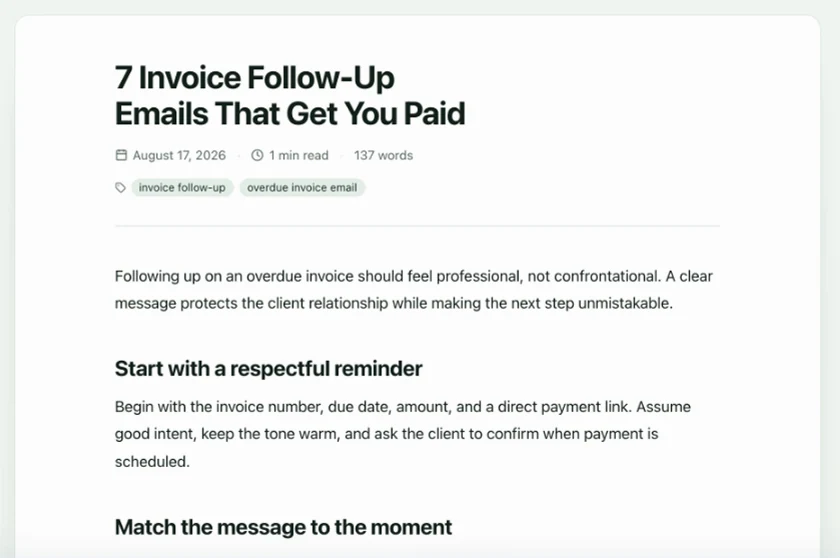
This is a finished Article from the InvoicePilot workspace shown in the walkthrough: researched, written, illustrated, and published through the same daily queue you would use.
Published Article
InvoicePilot workspace
How Tallpine works
Six steps, each one feeding the next. Pick any step to see it in the product.
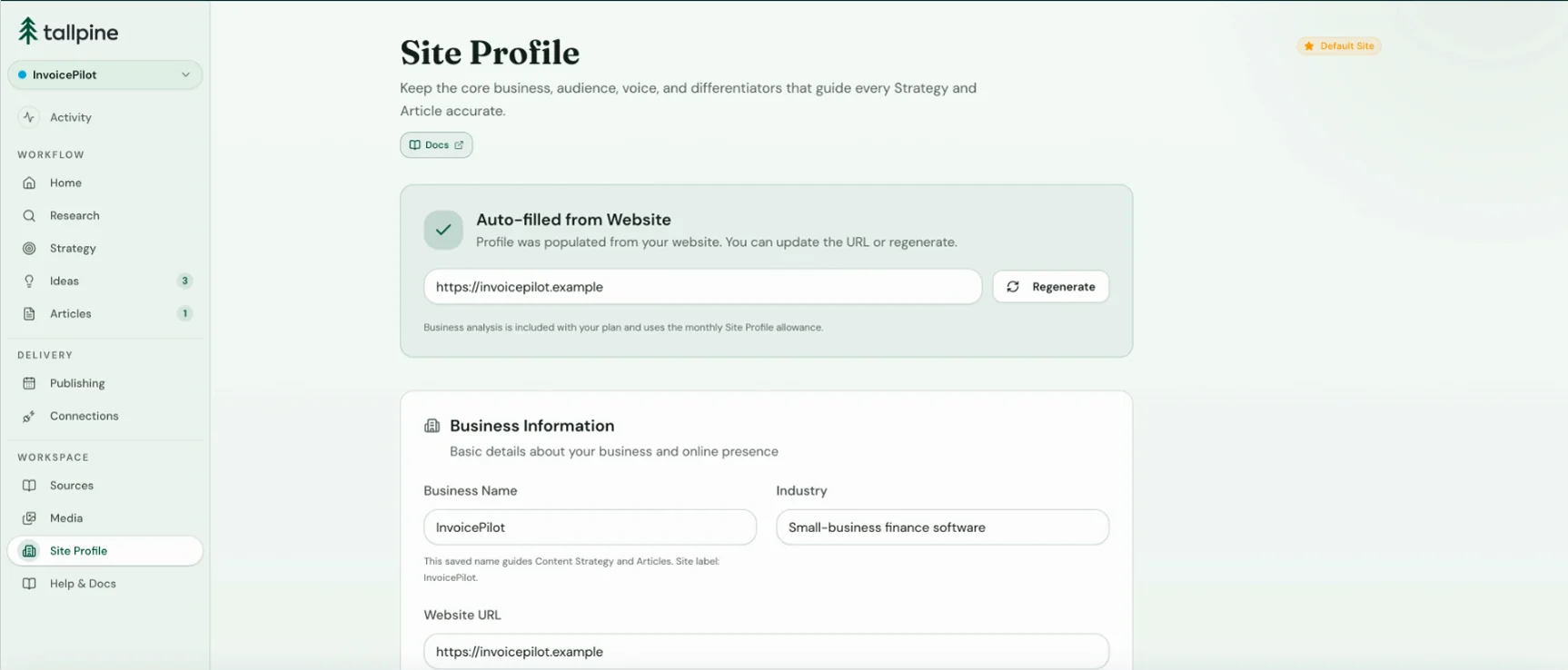
Step 01·Site Profile
Tallpine turns your website and source material into an editable Profile of your audience, offers, positioning, and voice. Every Strategy, Idea, and Article starts there.
Tallpine scans your public pages to learn what you offer and who your customers are.
Add documents, pasted text, or extra pages to fill in what the site leaves out.
Review the Profile and adjust anything. It becomes the context for everything Tallpine writes.
Site Profile
InvoicePilot workspace
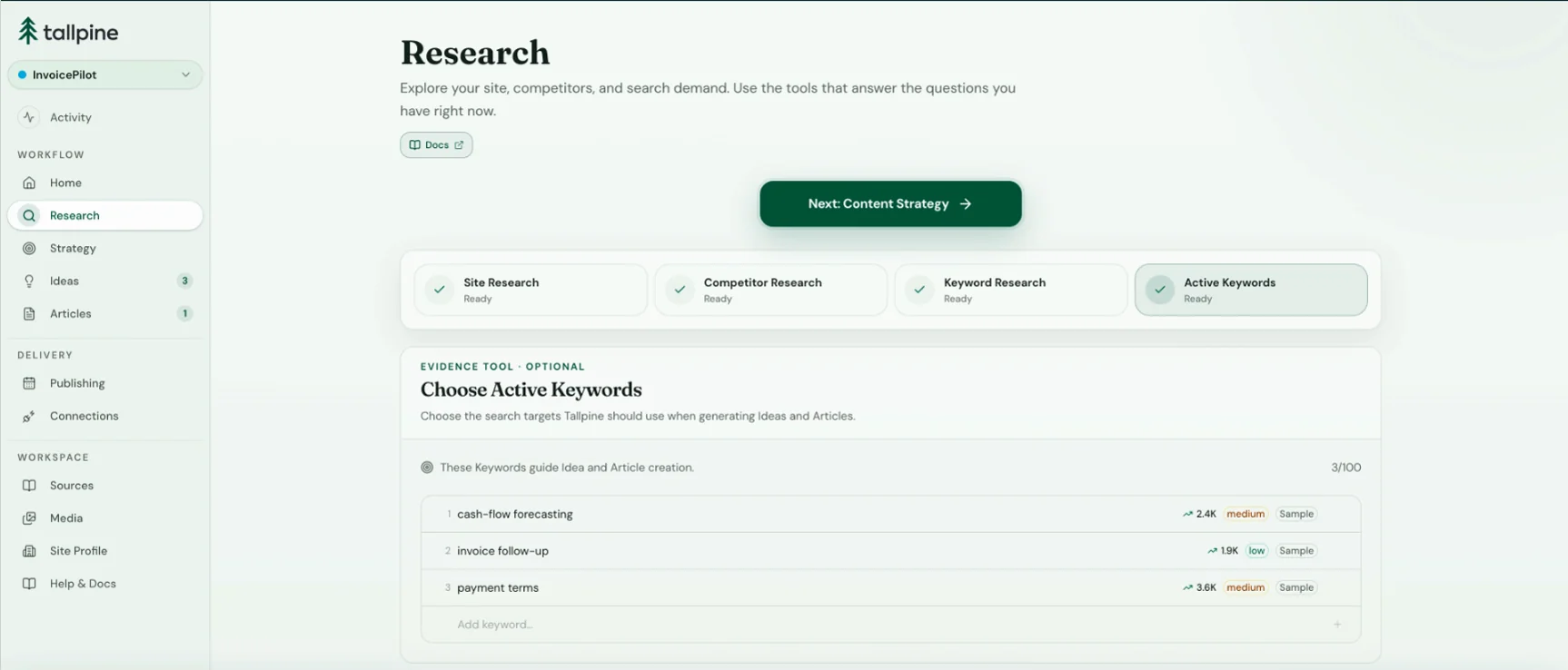
Step 02·Research
Tallpine finds the searches worth targeting and the gaps competitors leave open. Use the strongest opportunities to sharpen your Strategy.
Keyword Research surfaces terms relevant to your Site and validates them with search volume and difficulty data.
Competitor Research compares positioning, strengths, weaknesses, and content gaps.
The strongest opportunities become Active Keywords that steer your Strategy and Ideas.
Research
InvoicePilot workspace
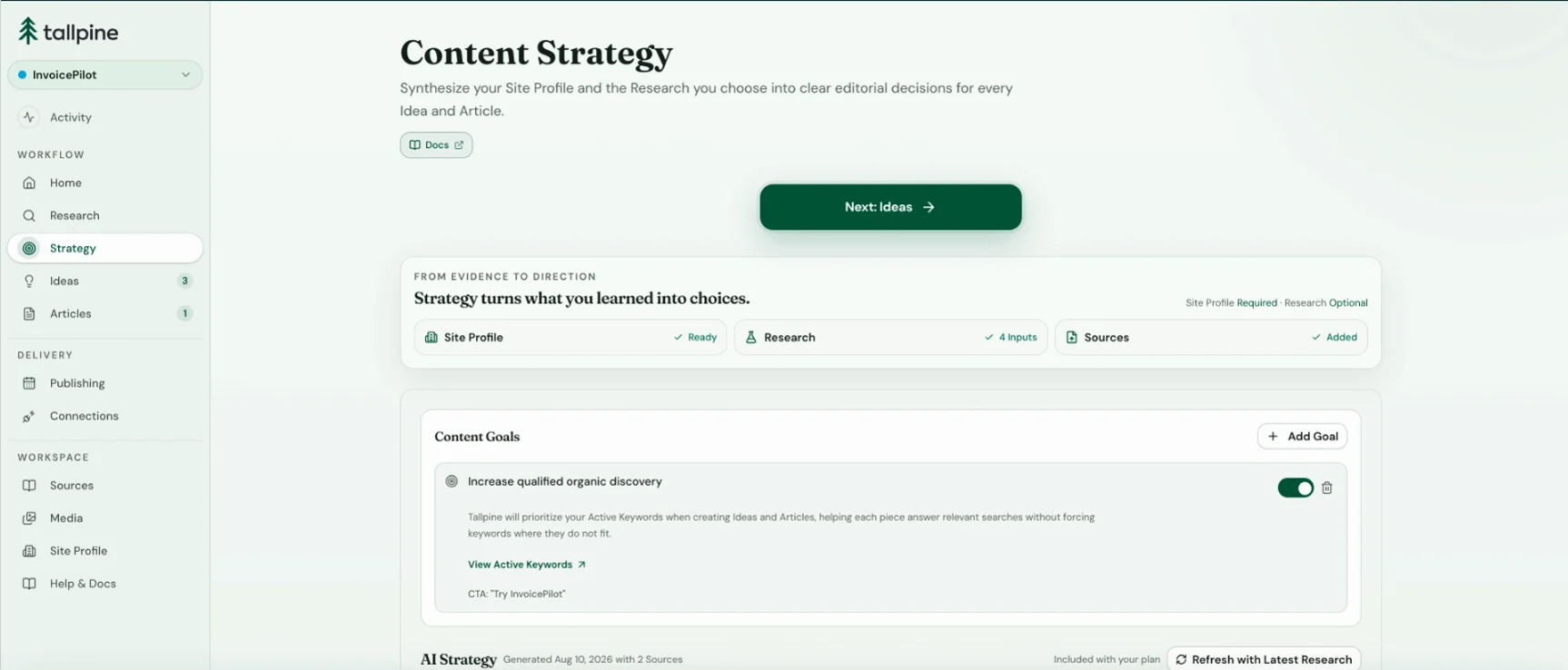
Step 03·Content Strategy
Choose what your content should accomplish. Tallpine turns that goal into editable themes, angles, and priorities for every Idea and Article.
Choose a goal: rank for target Keywords, promote a product or service, or set your own.
Tallpine drafts an SEO-focused Strategy with themes, distinctive angles, and clear priorities.
Edit it freely. The Strategy guides every Idea and Article that follows.
Content Strategy
InvoicePilot workspace
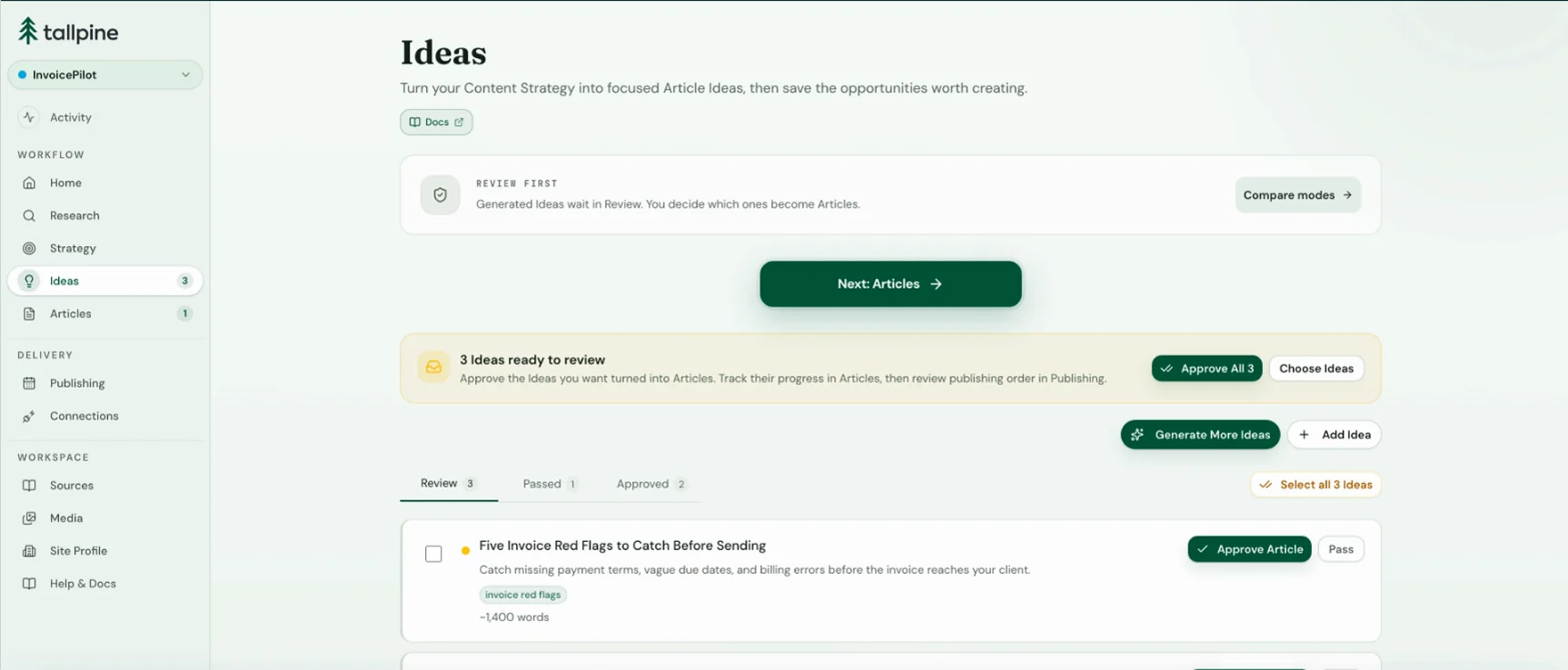
Step 04·Ideas
Tallpine proposes Ideas grounded in your Strategy, Keywords, and business context, while checking your publishing history to avoid repeats. Approve and order what is worth writing.
Generate a focused batch of Ideas from relevant Keywords, search demand, and your competitive advantages.
Tallpine compares each Idea with your publishing history to avoid repeated topics.
Approve, pass, and reorder the queue.
Ideas
InvoicePilot workspace
Step 05·Articles
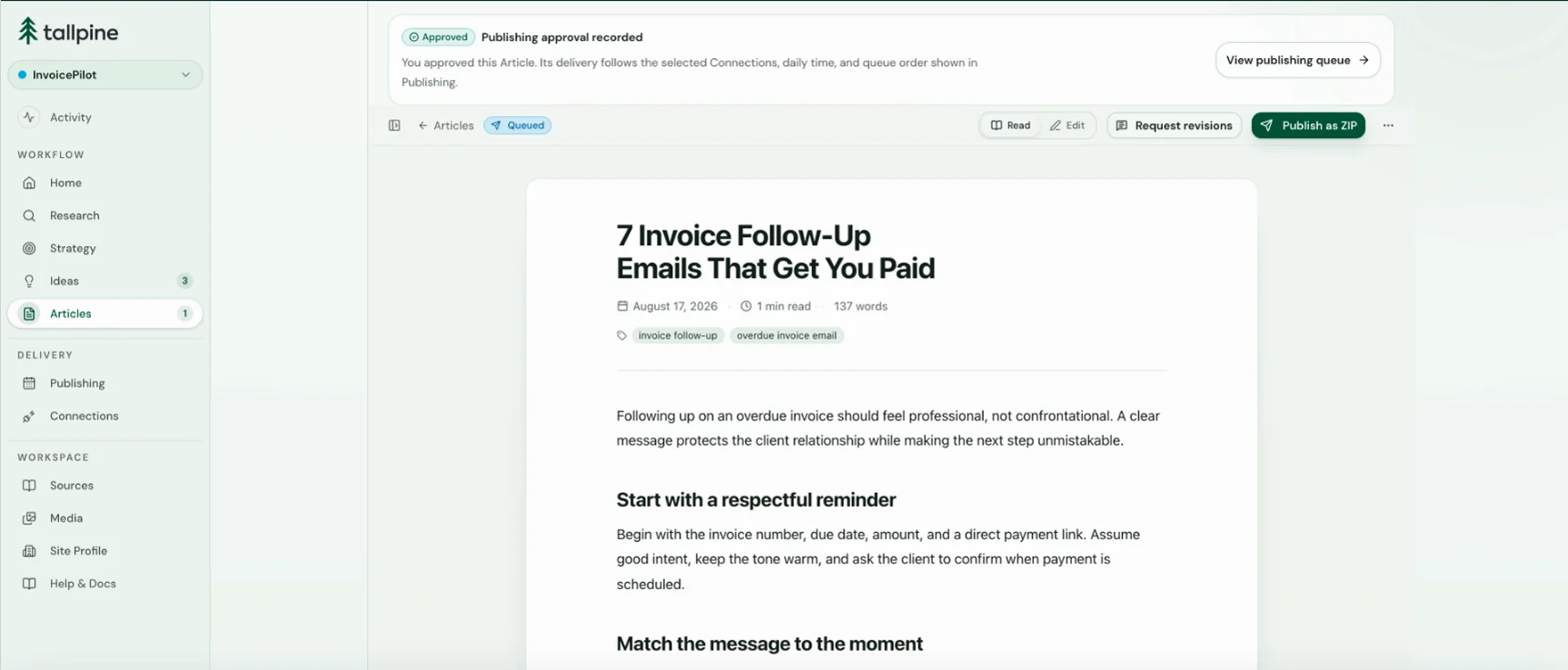
Tallpine researches each approved Idea, builds an outline, writes the Draft, and curates Images. Edit it directly, request a revision, or approve it for publishing.
Tallpine combines topic research with your business context to write a source-informed Draft.
Every Article targets relevant Keywords and supports the goals in your Content Strategy.
Embedded Images support the story, with product placement that fits naturally into the content.
Review and edit the Draft, request a revision, or approve it for the queue.
Articles
InvoicePilot workspace
Step 06·Publishing
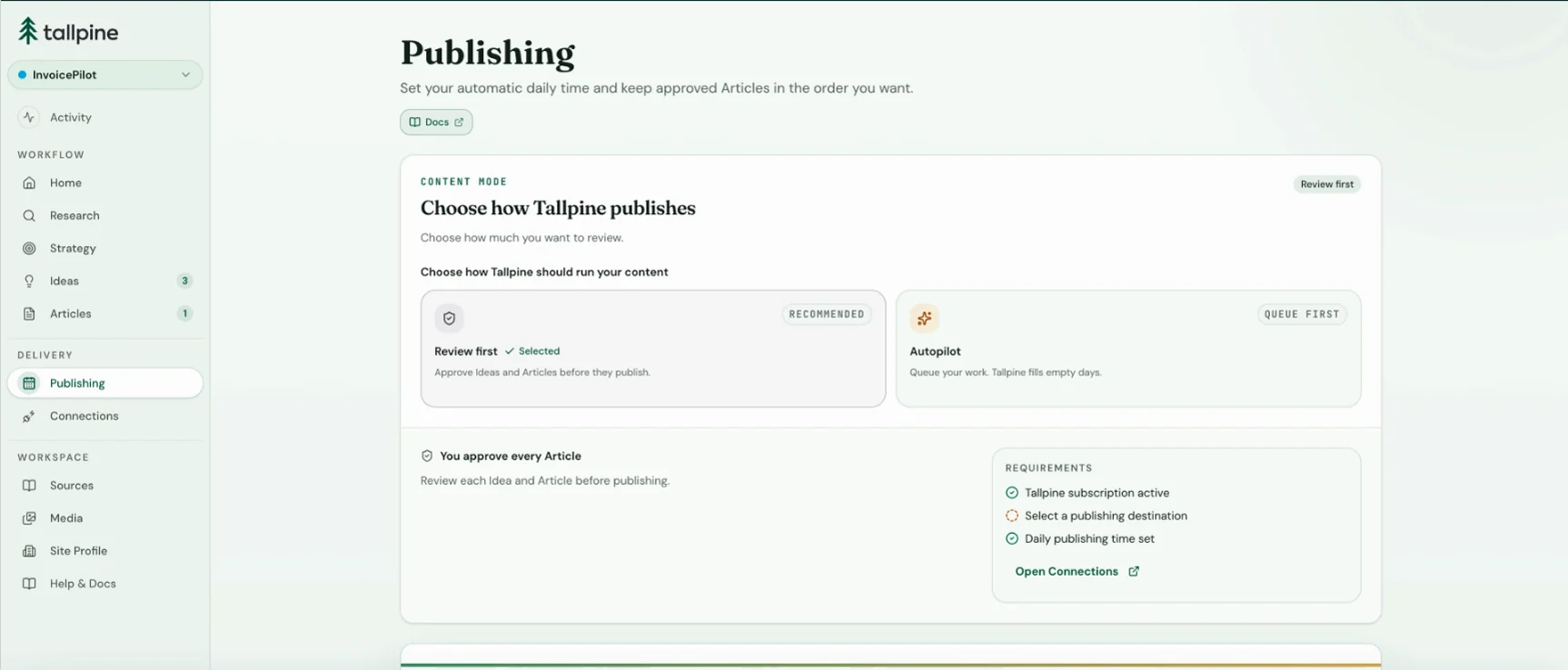
Set a daily time, and Tallpine publishes the first ready Article in your queue. You can also select any ready Articles and publish them now.
Tallpine publishes the first ready Article in your queue once a day at the time you set.
Select one or many ready Articles and publish them now. It never costs a second Article.
Delivery status stays visible for every Article. If a Connection is missing or needs attention, Tallpine holds the Article instead of sending it somewhere unintended.
Publishing
InvoicePilot workspace
Review first or Autopilot
Review every Idea and Article before it advances, or let Autopilot run the queue. Both modes use the same research, writing, and Images. Choose a mode for each Site and switch whenever you need.
Nothing moves without you.
Best when an editor owns the blog, the subject is sensitive, or you are still learning what Tallpine produces.
Keeps the blog going without you.
Best when you want Articles going out every day without thinking about it.
Approve everything, or trust the queue. Both are one setting away.
Publishing built in
Connect WordPress or Payload CMS once. Tallpine publishes one ready Article every day at the time you set, or sends the ones you pick right now. Prefer full portability? Download Markdown and Images as a ZIP.
Posts and Images go straight to your WordPress site. No plugin, no code. Connect it in a few steps.
How to connect WordPressArticles and Images land in your Payload collections, matched to your existing fields. No SDK, no code.
How to connect Payload CMSMarkdown, frontmatter, and Images for Next.js, Astro, Hugo, Jekyll, or any site that reads Markdown. No setup needed.
How to use the ZIP exportSimple pricing
Every Site is $99 a month and comes with 30 Articles plus the complete workflow: research, Strategy, writing, review, and publishing. Run one Site or ten. Each gets its own Profile, Strategy, and publishing queue, and you can add Sites whenever you like. No tiers, no add-ons, no top-ups.
The plan
Eligible new subscribers get 3 days of full access. Card required.
Everything included
Straight answers
Clear answers about review, delivery, usage, and billing, so you can start with no surprises.
Eligible new subscribers add a card and start with one paid Site. You get the full allowance and every feature for 3 days. Cancel before the exact end time shown in Billing to avoid the first charge. After your first payment, a fresh monthly allowance begins.
Each new Article you generate uses one of your monthly Articles. Regenerating an Article from scratch also uses one. If generation fails, the Article is not counted.
Yes. Each Site is its own workspace with its own Profile, Strategy, Sources, queue, and publishing settings, so one brand's context never mixes with another's. Add a Site for each website or brand you run at $99 a month each. Every Site brings 30 more Articles, and you can archive a Site when you no longer need it.
You decide, per Site. Review first requires your approval for every Idea and every finished Draft. Autopilot adds one Idea per day, keeps your queued priorities first, and prepares the next eligible Article for an otherwise empty publishing day. Pause it at any time.
No. Tallpine improves how you research, plan, and produce search-informed content. Rankings and AI-answer placement still depend on editorial quality, authority, competition, distribution, technical SEO, and search systems outside our control.
ZIP export with Markdown and Images works anywhere and never uses an Article. Direct publishing supports self-hosted WordPress through an Application Password and Payload CMS through an API key with field mapping. For destinations that return a public URL, Tallpine uploads Images and checks the live page. That check can be delayed or unavailable, and it does not verify accuracy, rights, SEO performance, or ongoing availability. WordPress.com OAuth, Webflow, Framer, Notion, and custom webhooks are not included.
Archive & Downgrade lowers your paid Site count by one, then archives the Site. Your next renewal is lower, with no credit or refund for the current period. Your subscription keeps at least one paid Site unless you cancel. Grandfathered Sites on a legacy plan can be archived without a billing change.
Your Strategy. Your mode. Your Articles.
Build your Site Profile, shape the Strategy, then choose Review first or Autopilot. Tallpine handles the path from Idea to your CMS.
$99 per Site per month. Eligible new subscribers start with a 3-day trial. Card required.